What you will need:
2 clear indicator lenses (pic 1)
2 park/driving (DRL) turn signal combination flexible strips (12 inches is what I used - okrrr...
 - although I folded 3 lights behind. 8 inch would probably suffice :-/ (Test them with a 9 volt first) (pic 2)
2 indicator bulb to LED adapters (plug right into your bulb socket) (pic 3)
2 park light to to LED adapters (plug right into your bulb socket)(pic 4)
Black electrical tape. (to sheath the colored wires that will show through the clear lenses)
scissors for cutting tape.
Glue gun (clear quality glue that won't yellow)
Pliers (to snap off the tab between the bulb houses that brace the lenses)
Build your lights
1. Take your adapters and cut off the ends that hold the bulbs -
2. Attach the correct wires to the adapters. The switch back led lights have 3 wires. One black - ground, one yellow - turn positive, one white -park lights positive)
3. Since you have 4 wires coming from the car and adapters your will combine the negatives.
4. Lay the strip on the lens from screw hole to screw hold and tack its directly to the lens. The glue is clear and wont show through the outside of the lens lens.
5. Let cool to dry.
Attaching your new lights.
6. Remove your old lenses.
7. Remove the bulbs.
8. Take your pliers and pinch the small plastic piece between your bulb houses and snap it off. The surrounding gaskets will keep your lenses in place and safe when you install them.
9. Insert the park light bulb adapter. You may have to hold the bulb holder from behind and under the bumper, because the bulb holders do slide back while your trying to insert them. For the turn lights it will work right away. For the park light you may have to turn the bulb adapter until you get the correct polarity. So do this before you plug the turn signals in.
10. Take your black electrical and cover the colored wires that will be visible through your clear lenses. Then tuck everything nicely into the bulb housing and screw on your new led switch back lenses!
Now Marvel at how amazing your lights look! (pic on)

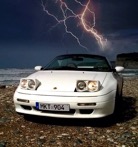
 Is more like it.
  They are available from 2 sources.
 .
.